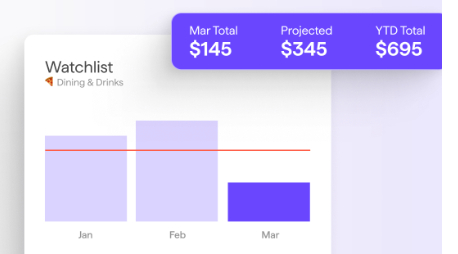
When it comes to managing money well, two names often come up: QuickBooks vs Quicken. QuickBooks is widely recognized as a go-to accounting solution for small businesses, freelancers, and entrepreneurs, while Quicken has long been favored by individuals and families who want better control over personal finances.
The key question many people ask is: Which one is better for business owners, and which is best for individuals? Choosing the wrong software can lead to paying for features you’ll never use or missing out on essential tools you actually need.
Let’s break down features, pricing, pros and cons, and best use cases for both QuickBooks and Quicken so you’ll decide better which platform is best for you.
Quick Overview: QuickBooks vs Quicken at a Glance
If you’re short on time, here’s a QuickBooks comparison and Quicken comparison side-by-side:
| Category | QuickBooks | Quicken |
| Features | Advanced bookkeeping, invoicing, payroll, tax prep, reporting, integrations | Budgeting, bill tracking, personal finance management, and investment tracking |
| Pricing | Monthly subscription (higher cost, business-grade tools) | Annual subscription (lower cost, personal finance focus) |
| Best For | Small businesses, freelancers, and accountants | Individuals, families, household budgeting |
Here’s a polished draft for Section 3: What is QuickBooks? with your requested structure and keyword variations:
What is QuickBooks?

QuickBooks is a leading accounting software developed by Intuit. Launched in the early 1980s, it was designed to simplify bookkeeping for small and medium-sized businesses. Over time, it has evolved into a cloud-based accounting solution used worldwide by millions of entrepreneurs, accountants, and freelancers.
Who It’s For
QuickBooks is best suited for:
- Small business owners who need a reliable accounting system.
- Freelancers and contractors who want to track income and expenses.
- Accountants and bookkeepers who require professional reporting and compliance tools.
Key Features of QuickBooks
- Cloud-based bookkeeping: Access your financial data anytime, anywhere via the web or mobile app.
- Invoicing and payments: Create branded invoices, accept online payments, and track receivables.
- Payroll management: Automate employee payments, tax filings, and compliance.
- Tax preparation: Simplifies year-end tax reports and integrates with tax filing systems.
- Reporting and analytics: Generate financial statements, cash flow reports, and custom business insights.
QuickBooks Benefits
- Cloud-first accessibility with real-time syncing.
- Scalable with multiple subscription tiers for different business sizes.
- Integrates with hundreds of third-party apps (PayPal, Shopify, Square, etc.).
- Strong support ecosystem, including accountants and certified advisors.
QuickBooks Drawbacks
- Higher cost compared to personal finance tools.
- A steeper learning curve for beginners unfamiliar with accounting.
- Some advanced features are locked behind higher-tier subscriptions.
What is Quicken?

Quicken, also developed by Intuit in the 1980s (later sold to H.I.G. Capital), was created to help individuals manage their personal finances. Unlike QuickBooks, which grew into a business accounting tool, Quicken has remained focused on household budgeting, investments, and financial planning. It is primarily a desktop-first software, with some cloud syncing available through mobile apps.
Who It’s For
- Individuals and families who want to track expenses and budgets.
- People who need to manage household bills and recurring payments.
- Those who want investment tracking for retirement or brokerage accounts.
- Homeowners and landlords use Quicken Home & Business to manage rental properties.
Key Features of Quicken
- Budgeting tools – Create and manage monthly or annual budgets with detailed spending categories.
- Bill management – Track due dates, pay bills, and avoid late fees.
- Investment tracking – Monitor stocks, bonds, retirement funds, and overall portfolio performance.
- Debt management – Organize credit cards, loans, and payoff strategies.
- Rental property management (Home & Business version) – Track rental income, tenants, and expenses.
Quicken Benefits
- Affordable compared to business accounting software.
- Strong budgeting and debt management tools for personal finance.
- Useful for investment and retirement tracking.
- Annual subscription options keep costs predictable.
Quicken Drawbacks
- Primarily desktop-first, with limited cloud functionality.
- Not scalable for growing businesses.
- Fewer third-party integrations compared to QuickBooks.
- Some advanced features only available in higher-tier plans.
QuickBooks vs Quicken: Key Differences
When deciding between QuickBooks and Quicken, it’s important to understand how they differ in purpose, features, and usability. Here’s a breakdown:
Target Audience
- QuickBooks is designed primarily for small to medium-sized businesses, freelancers, and accounting professionals who need advanced bookkeeping and tax features.
- Quicken is best suited for individuals and households who want to manage personal budgets, track bills, and monitor investments.
Features
- QuickBooks offers robust bookkeeping tools: invoicing, payroll, expense tracking, tax prep, and business reports.
- Quicken focuses on budgeting and personal finance, including bill management, investment tracking, and household expense monitoring.
Ease of Use – Setup, Interface, Learning Curve
- QuickBooks has a more professional interface, which can feel complex at first, but is tailored to accountants and business owners.
- In my view of testing, Quicken offers a simpler, personal-finance-friendly interface, making it easier for individuals with little accounting knowledge to get started.
Cloud Accessibility
- QuickBooks Online is cloud-first, accessible anywhere via web or mobile apps.
- Quicken is primarily desktop software, with limited cloud syncing features for mobile tracking.
Integration & Scalability – Business Apps vs. Personal Tools
- QuickBooks integrates with hundreds of business apps (e.g., PayPal, Shopify, Square) and scales as your business grows.
- Looking at it, Quicken has limited integrations and is mainly focused on household finance, not business growth.
Support & Community – QuickBooks Ecosystem vs. Quicken Support
- QuickBooks offers a large support ecosystem with forums, accountants, training resources, and dedicated support teams.
- Quicken provides basic support options and online resources, but its community is smaller compared to QuickBooks.
QuickBooks vs Quicken: Pricing Comparison
Pricing is one of the biggest deciding factors when comparing QuickBooks and Quicken. Here’s how they stack up:
QuickBooks vs Quicken Cost Comparison
| Plan Type | QuickBooks Online (Monthly) | Quicken (Annual) |
| Entry-Level | Simple Start – higher cost | Starter – low cost |
| Mid-Tier | Essentials / Plus | Deluxe / Premier |
| Advanced | Advanced – most expensive | Home & Business – still cheaper than QuickBooks |
QuickBooks vs Quicken – Which Should You Choose?
Choose QuickBooks if…
- You run a small business and need reliable bookkeeping.
- You want invoicing, payroll, and tax management in one platform.
- You prefer cloud-based access with mobile apps and integrations for scaling your operations.
Business owners who want professional tools to manage growth, compliance, and day-to-day finances should go for QuickBooks.
Choose Quicken if…
- You need budgeting tools to manage household expenses.
- You want to track personal investments and retirement funds.
- You’re looking for an affordable option for family finances without paying business-level prices.
Quicken is ideal for individuals and families who want a simple, desktop-first solution to stay in control of their budgets.
Alternatives to QuickBooks and Quicken
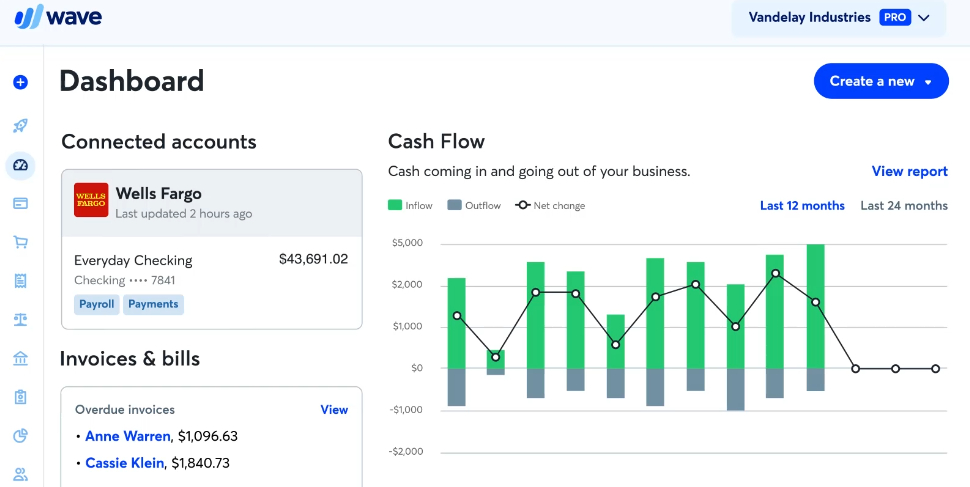
While QuickBooks and Quicken dominate the market, they’re not the only options. Depending on your needs, one of these alternatives might fit better:
- FreshBooks – Great for freelancers and service-based businesses that need easy invoicing and expense tracking.
- Xero – A cloud-based accounting platform popular among small businesses for its simple interface and scalability.
- Mint – A free personal finance app focused on budgeting, bill reminders, and credit score tracking.
- Wave – Free accounting software for very small businesses that need basic bookkeeping and invoicing.
QuickBooks vs Quicken FAQs
Is Quicken being discontinued?
No, Quicken is not being discontinued. While the software has shifted ownership in recent years, it is still actively updated and supported. However, Quicken remains primarily a desktop-first tool, unlike cloud-first competitors such as QuickBooks Online.
Can Quicken be used for small businesses?
Quicken does offer a Home & Business plan, but it’s better suited for freelancers or side hustles. For full small business accounting needs, QuickBooks is generally the stronger choice, as it provides advanced features like payroll, invoicing, and tax support.
Is QuickBooks worth it for personal use?
QuickBooks can be used for personal finance, but it’s often more than individuals need. Since it’s designed for business accounting, you may be paying for extra features you won’t use. In most cases, Quicken is better for personal finance management, while QuickBooks shines in professional settings.
Which is easier to use, QuickBooks or Quicken?
- Quicken is generally easier for beginners since it focuses on budgeting and household finance.
- QuickBooks has a steeper learning curve because it includes advanced bookkeeping and business tools, but it offers more scalability for growth.
Does Quicken integrate with QuickBooks?
No, Quicken and QuickBooks are separate platforms and do not directly integrate with one another. If you switch from Quicken to QuickBooks, you’ll need to migrate your data, which may require formatting adjustments.
Conclusion on QuickBooks vs Quicken: Which is better for you?
When it comes to QuickBooks vs Quicken, the decision boils down to who you are and what you need:
- QuickBooks is the best option for small business accounting, offering cloud-based bookkeeping, payroll, invoicing, and integrations that scale as your company grows.
- Quicken is the better choice for personal finance management, with strong budgeting, investment tracking, and affordability for individuals and families.
My key takeaway: If you’re running a business, go with QuickBooks. If you’re managing a household or personal budget, Quicken is the smarter option.

Comments are closed.
One comment
Pingbacks and Tracebacks
[…] Need a good accounting software? Check out this comparison – QuickBooks vs Quicken – Which is Right for You? […]